Start Your Scan — Get 2 Free Scans
Enter your details below to get started
 TM
TMEnter your email to get started
Create your free account — get 2 free scans
Already have an account?
Enter UN Number Here
🆓 Free Emergency Response Information Search
All data from Emergency Response Guidebook (ERG 2024)
Enter a 4-digit UN number to access ERG emergency response data including isolation distances, fire fighting procedures, first aid, and evacuation guidance.
Scan Your Load Documents
Step 1: Upload the MANIFEST first
The manifest tells us which BOLs contain hazmat. Upload the manifest first (select all pages if it's multi-page), then upload only the hazmat BOLs.
Upload Freight Documents
Manifest, Bill of Lading, or Shipping Papers
Photos (JPG/PNG) or PDF documents
All images must be clear and legible - no blurry or illegible documents
$1.99 per load analysis
Need Business Financing?
Get funded fast - Up to $5M - Same day funding - All industries
Need a Personal Loan?
Soft credit check - No commission fees - 550+ credit score
Fast Credit Repair - 100% Guaranteed
Pay only after removal - Zero fees - Results in 30 days
Avoid Costly DOT Violations
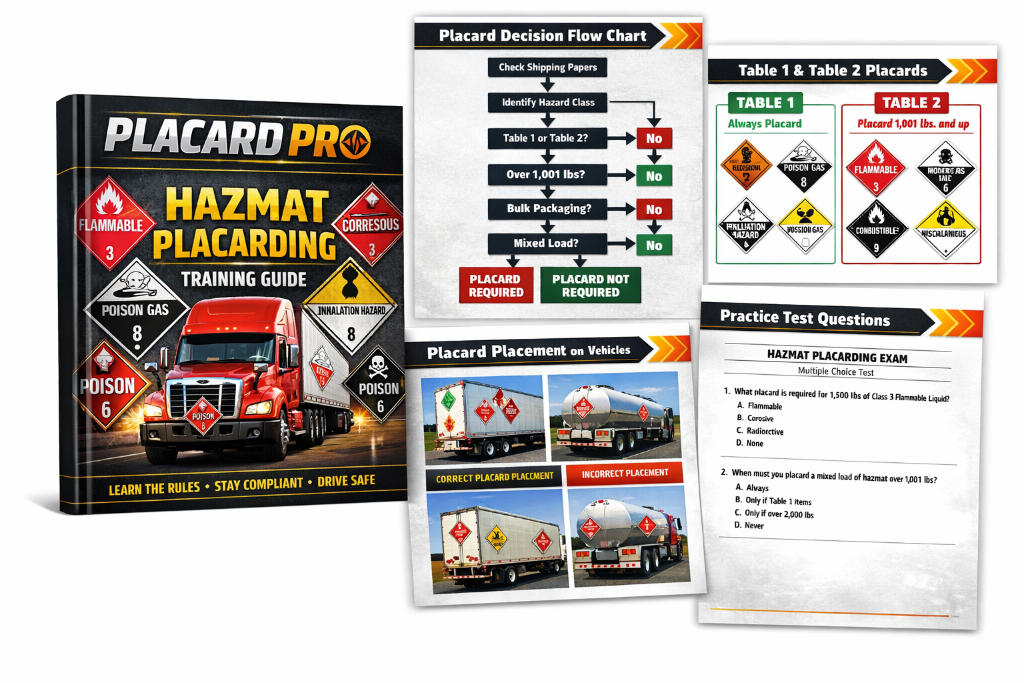
A single placarding mistake can mean thousands in fines or a stopped shipment. Placard Pro applies 49 CFR 172.504 placard rules automatically so the right placards are flagged every time.
Save Time at the Dock
No more flipping through the ERG or guessing at hazard tables. Upload your manifest and BOLs — get required placards, segregation rules, and emergency guidance in seconds.
Catch Bulk & Mixed-Load Mistakes
Bulk shipments (IBC totes, tanks) and mixed loads have special placard rules that are easy to miss. The scanner flags bulk items individually and applies the DANGEROUS substitution rule correctly.
Accurate Weight Thresholds
Table 2 materials only need placards above 1,001 lbs. Placard Pro sums gross weight per hazard class and tells you exactly which placards trigger — and why, with CFR references.
Live Emergency Response Data
Every flagged hazmat item pulls real ERG 2024 guidance — firefighting media, spill isolation distances, PPE, and first aid — so you are ready before you roll, not after an incident.
Protect Your CSA Score & Wallet
Correct placarding keeps your truck moving, protects your carrier CSA score, and avoids out-of-service orders that cost a day of revenue. One scan pays for itself many times over.
How to Use Placard Pro — Step by Step
Six boxes from upload to a finished, compliant placard plan
Upload Your Manifest
Start by uploading a clear photo of the manifest or tally sheet. The scanner reads it in the background to figure out how many BOLs contain hazmat — so you only upload the ones that matter.
💡 Tip: Take a photo with your phone (JPG/PNG). PDFs cannot be scanned — use a photo instead.
Upload the Hazmat BOLs
Once the manifest is read, upload only the hazmat Bills of Lading it flagged. Each BOL is analyzed as its own item with its own UN number, weight, and packaging.
💡 Make sure weight, UN number, and hazard class are legible in the photo — these drive the placard result.
Run the Analysis
Press Analyze. Placard Pro reads every BOL, extracts the hazmat data verbatim, applies 49 CFR placard rules, checks bulk/mixed-load logic, and flags any missing fields on the documents.
💡 You will see live status messages while it works. Results appear automatically when done.
Review Required Placards
The report shows exactly which placards to display, the CFR rule behind each one, total weight per class, and whether DANGEROUS may substitute for individual class placards on a mixed load.
💡 Bulk items show their UN number placard separately. Compatibility warnings flag materials that must be segregated.
Check Emergency Guidance
Tap any hazmat item to pull live ERG 2024 data — firefighting media, spill isolation distances, protective action zones, PPE, and first aid. Share or save the report for your records.
💡 Emergency contact numbers from your BOL are surfaced too, including CHEMTREC (1-800-424-9300).
Dispute, Rescan, or Save
If a placard looks wrong, dispute it with a photo and reason — you get a free rescan credit and your fleet admin reviews it. Otherwise save the analysis to your history for audit trail.
💡 Every scan is stored to your Hazmat History so you can pull it up anytime.